01
Sell your own products
Add products and put them straight on your site.

Your products addedListed and sold on your siteListed
- Add products
- Sell on your site

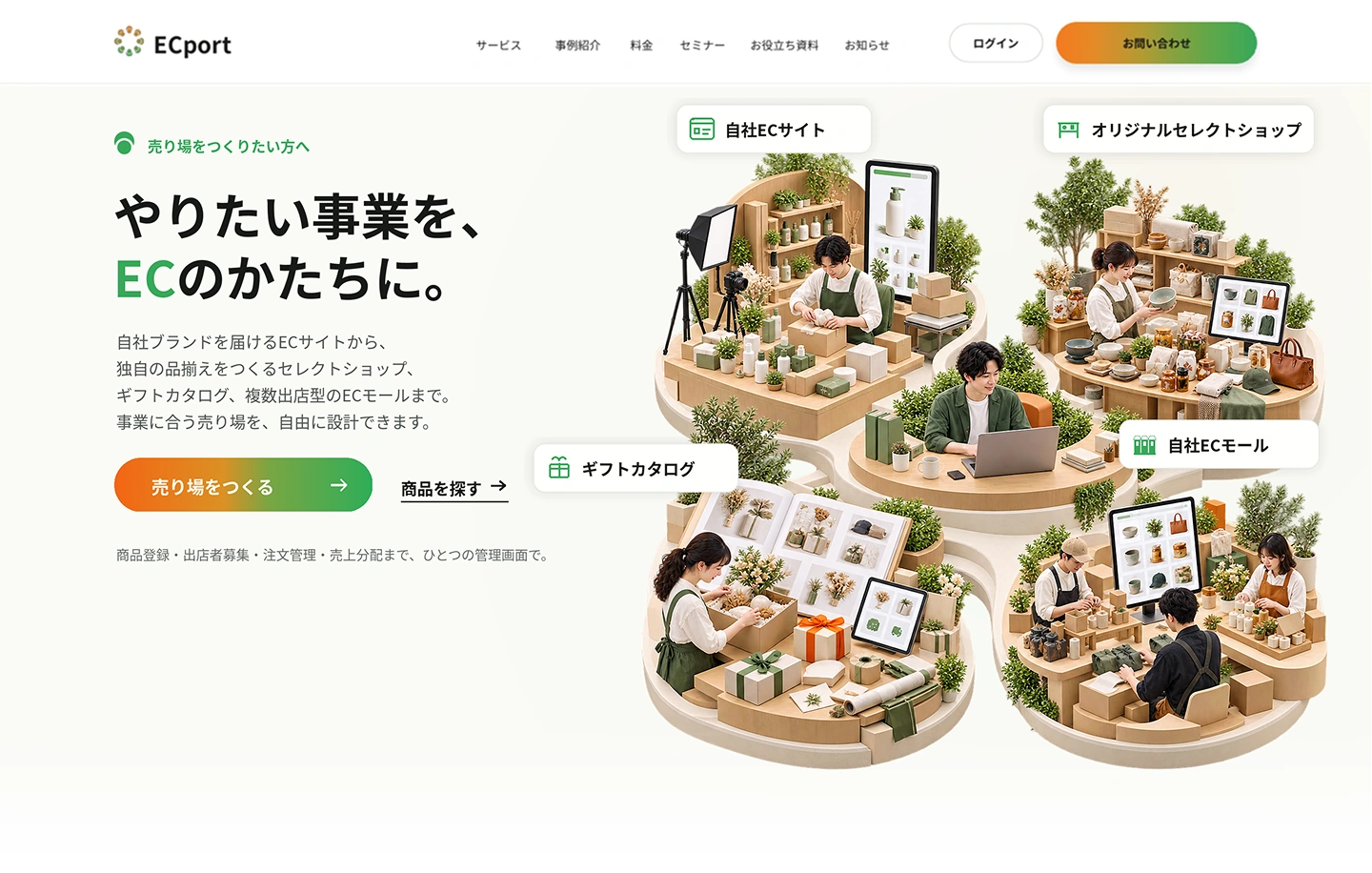
For those who want to build a storefront
From an online store for your own brand
to select shops with your own curation,
gift catalogs and multi-seller online malls,
design the storefront that fits your business.
Product listings, seller recruitment, order management and revenue sharing,
all in one dashboard.


Builder
Freely combine your own products with others’,
and plan and run e-commerce that fits your theme and customers.
Turn what makes your business unique into storefronts and experiences.
Build on-brand e-commerce intuitively.
Choose and sell products from Suppliers that match your criteria.
Recruit sellers that fit your theme with a dedicated form.
Manage orders, sales and products for each site in one place.
Reach overseas with support for languages, payments and shipping.
How to start selling
Start with just your own products, or choose products from others to expand your range.
Either way, sell on your own site and run it as one storefront.
01
Add products and put them straight on your site.
02
Find them on ECport and add them to your site once the Connect is approved.

Three storefronts you can build
E-commerce with your own and others’ products, or an online mall with multiple sellers.
You can also build sales sites linked to existing touchpoints such as hotels or media.
01
Sell your products and add others’ to create your own range.
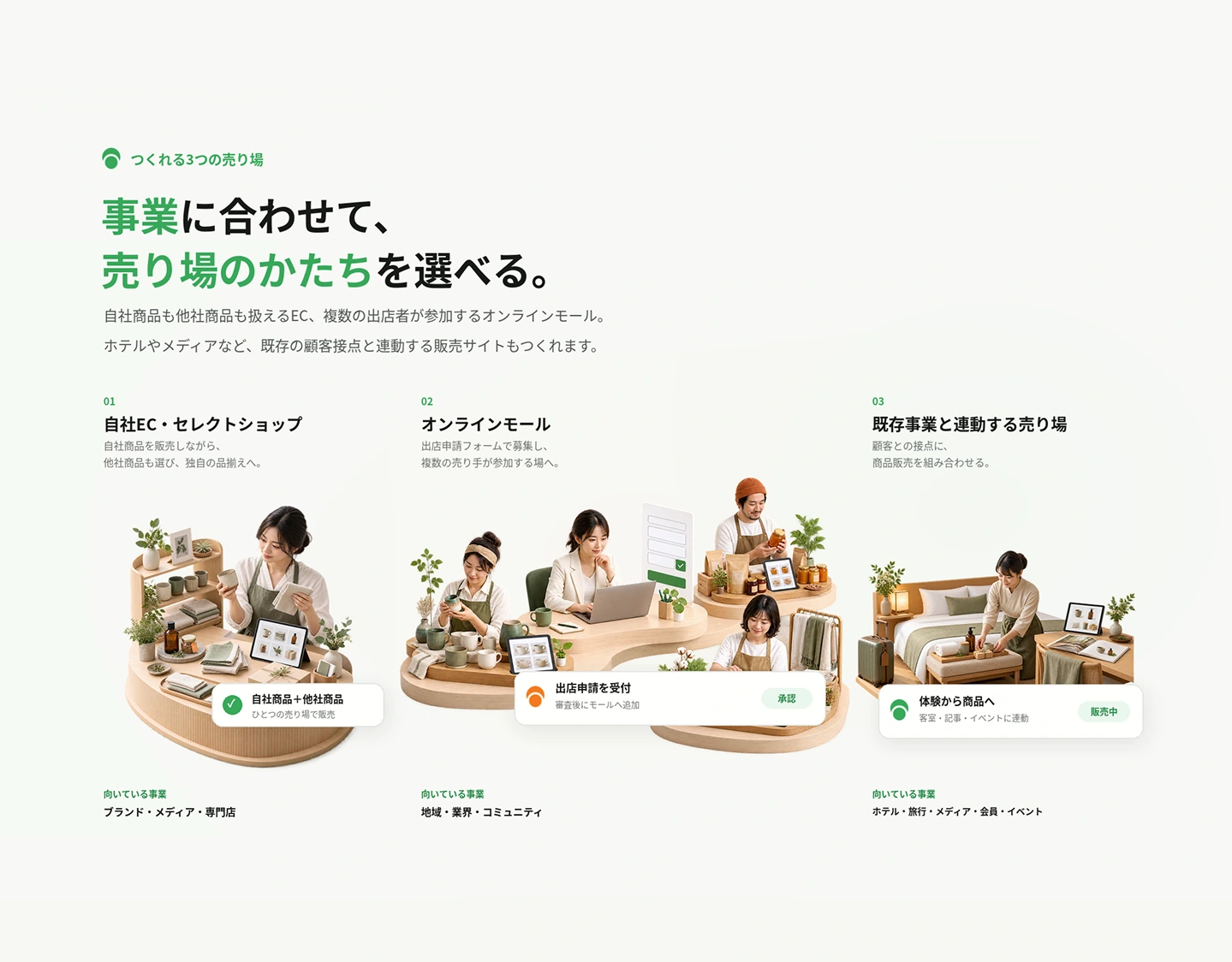
Suited toBrands, media, specialty stores
02
Recruit with a seller application form and bring many sellers together.
Suited toRegions, industries, communities
03
Add product sales to your customer touchpoints.
Suited toHotels, travel, media, memberships, events
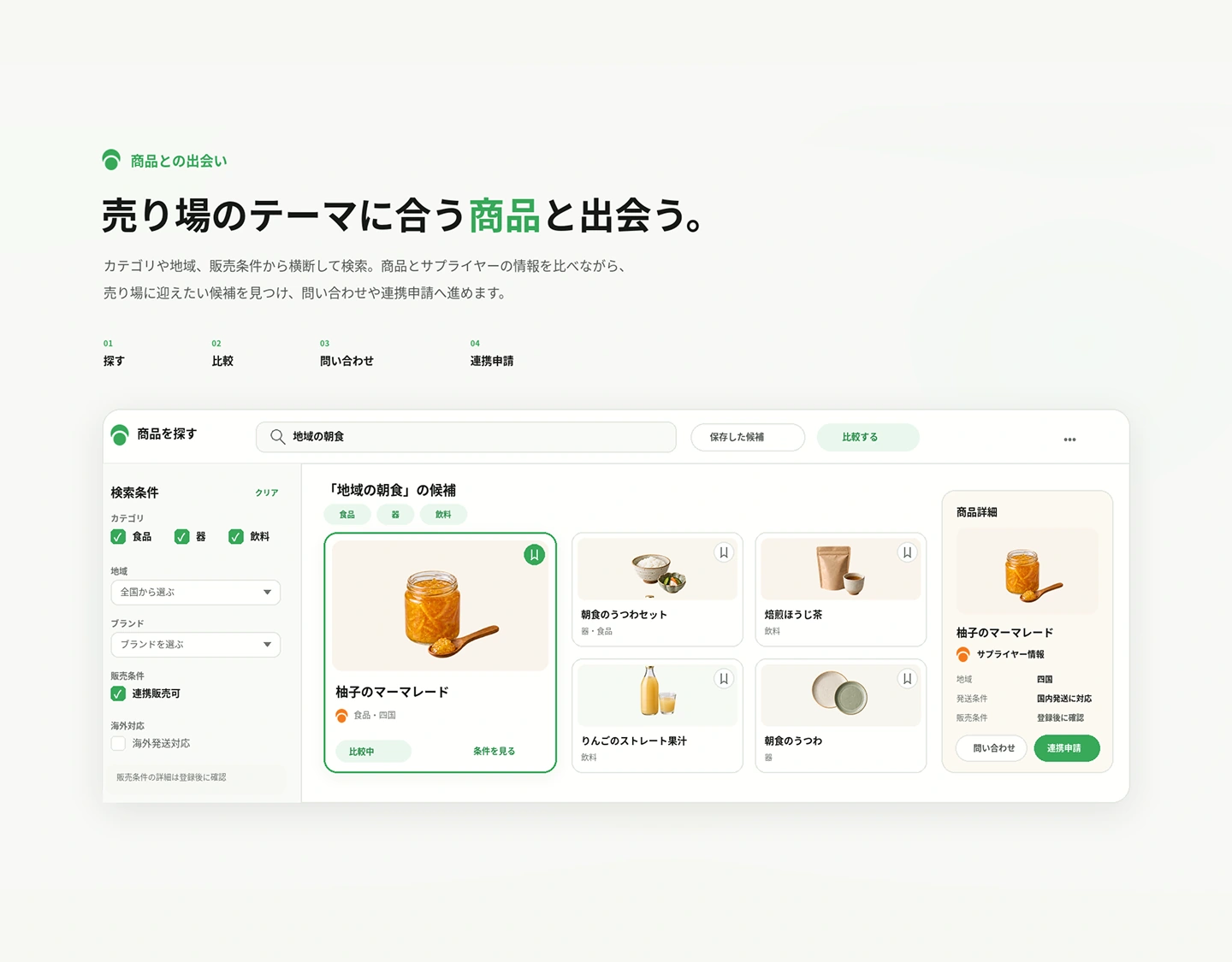
Discover products
Search across categories, regions and sales terms. Compare product and Supplier details,
find the products you want and move on to inquiries or connection requests.
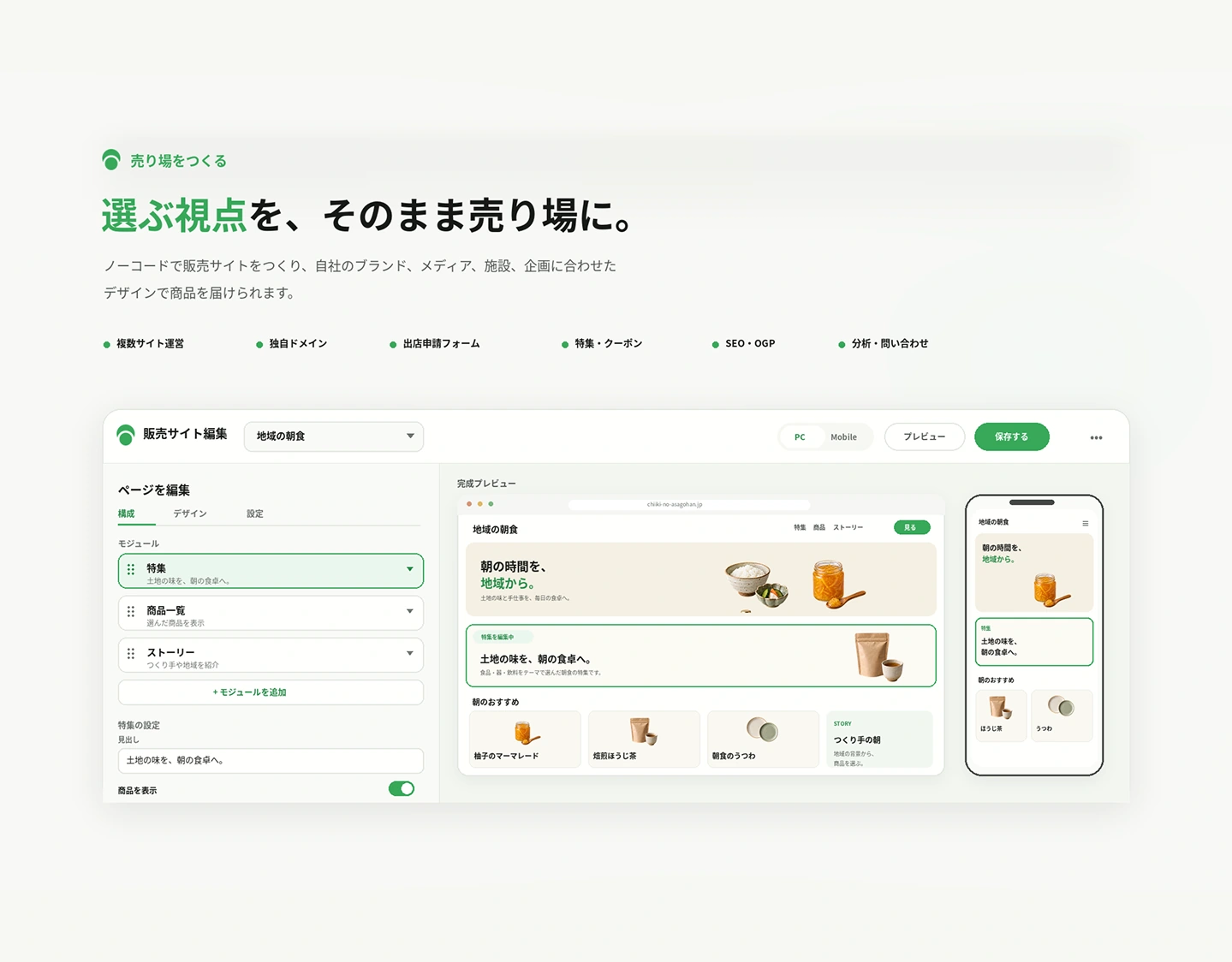
Build a storefront
Build a sales site without code and present products with a design that fits your brand, media,
facility or project.
Use cases by industry
Gift catalogs, select shops, your own online store. Combine your existing strengths with products
to plan storefronts that suit your customers.

Customer touchpoints: Guest rooms & stays
Storefront you could build
Customer touchpoints: Itineraries & regional themes
Storefront you could build
Customer touchpoints: Articles, shows & content
Storefront you could build
Customer touchpoints: Content & community
Storefront you could build
Customer touchpoints: Local trust & foot traffic
Storefront you could build
Customer touchpoints: Expertise & range
Storefront you could build
Customer touchpoints: Local customers & market knowledge
Storefront you could buildONE DASHBOARD
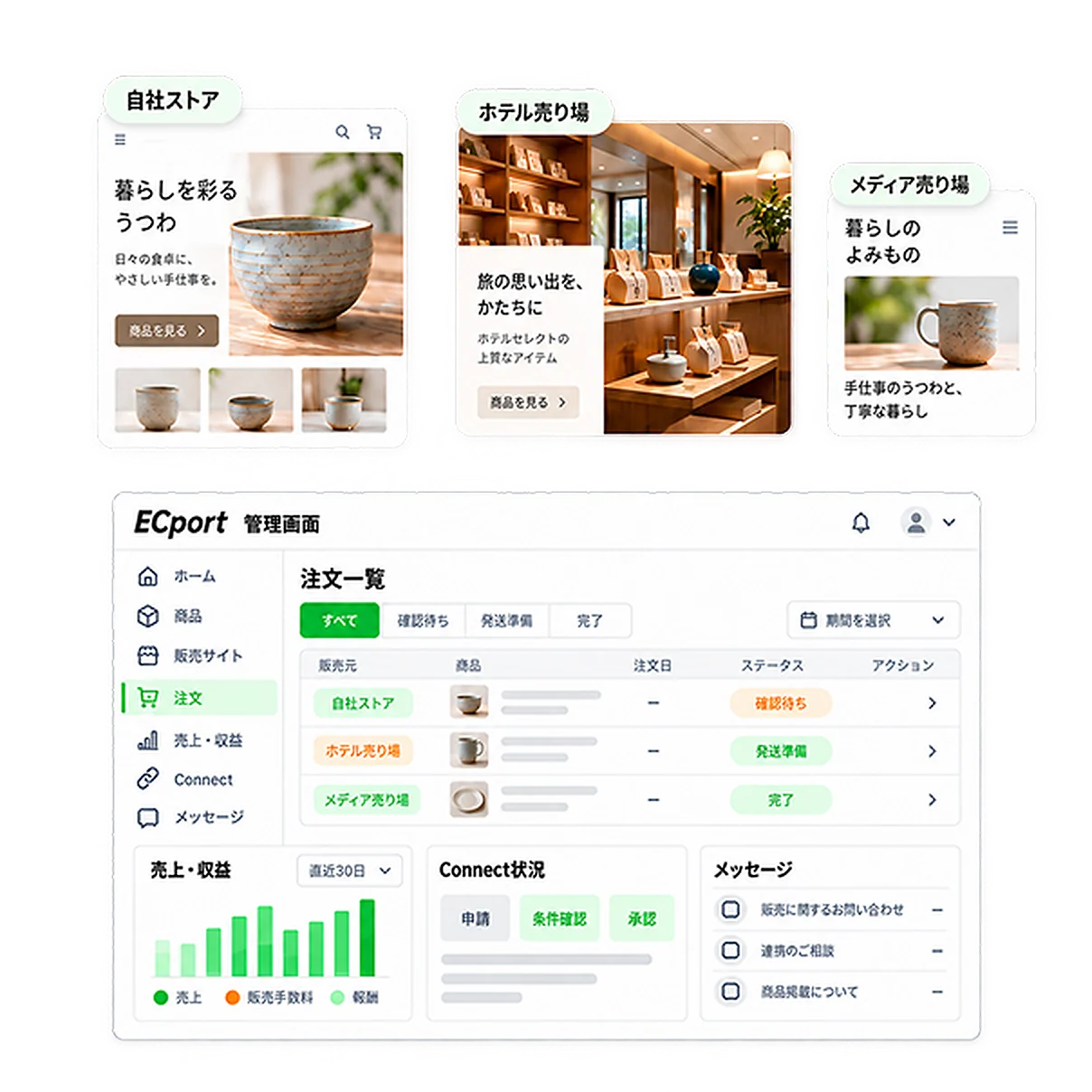
Products, orders and sales from your own store and partners, all in one dashboard. Check sales fees, earnings, Connect status and messages in one place.
GET STARTED
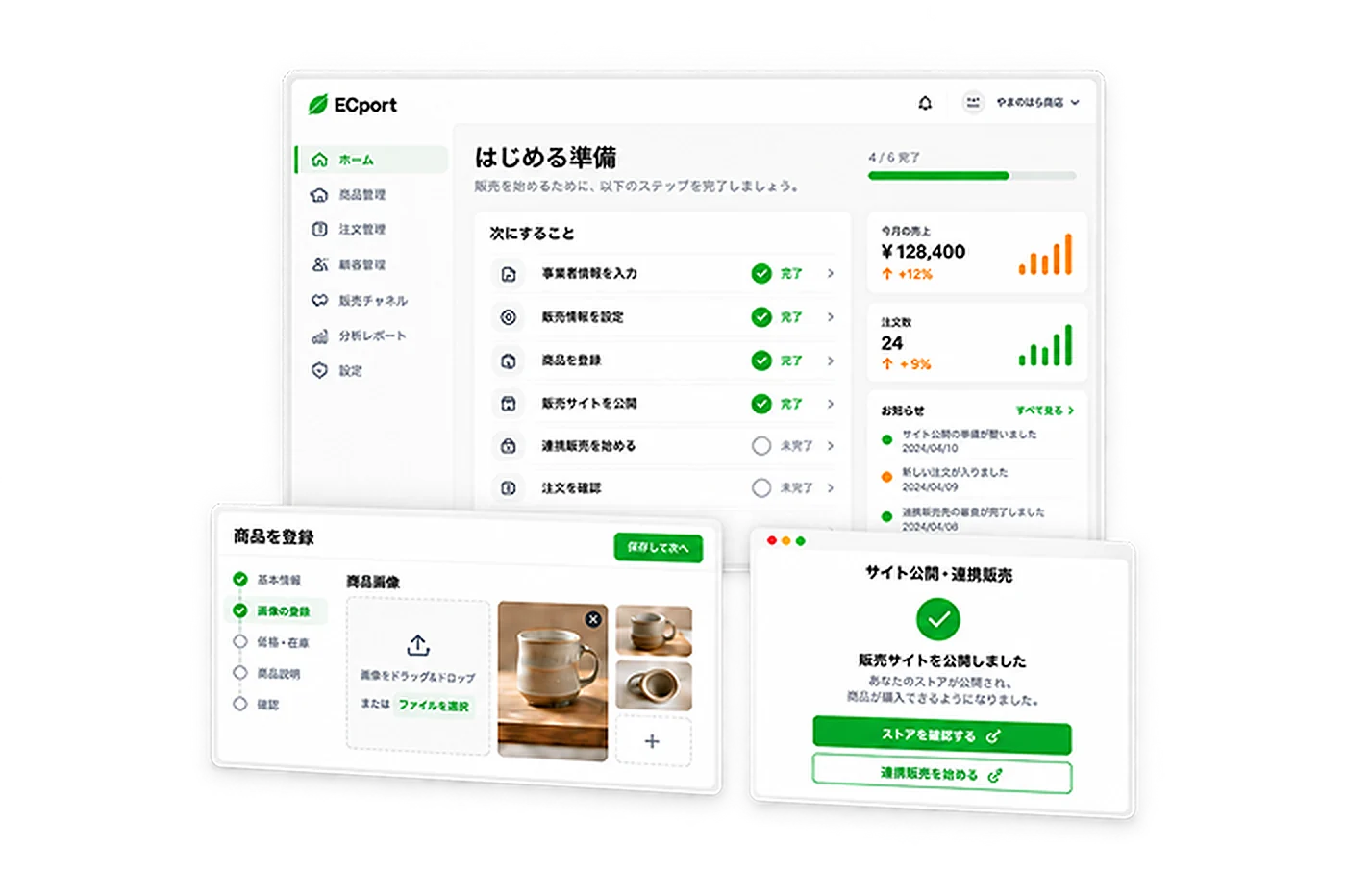
Create an account, set up your business details, then add or connect products. Build a storefront that feels like you and start selling.
Create a free account and choose a plan that fits your business.
Enter your business details and what you need to sell.
Add your own products or send connection requests to Suppliers.
Set up your storefront design and sales terms, then publish.
From checking orders to managing sales, all in ECport.
PRICING / Plans
Start small and grow with your business.
Choose a plan that fits your storefronts and number of products.

FAQ
We’ve gathered the six questions
we hear most before sign-up.
QUESTION THEMES
Yes. Even without your own products, you can find products and send connection requests to Suppliers. Once approved, you can list them on your sales site, and the Supplier generally manages the inventory.
You send a connection request to the Supplier and review the sales, inventory and shipping terms. Only approved products can be listed on your sales site.
For other companies' products, the Supplier generally manages the inventory and ships to the buyer. The Builder runs the storefront and is the first point of contact for customers. Your own products are shipped using the shipping methods you set.
The Builder is the first point of contact for customers and works with the Supplier to check product issues and shipping status. Returns and refunds follow the sales terms and terms of use.
Sale prices, sales fees and Builder earnings are based on the sales terms for each product. Refunds, cancellations and adjustments are also reflected in sales and earnings.
Yes. You can run multiple sales sites to suit your business, such as your own online store, select shops, gift catalogs and online malls. The number of sites available depends on your plan.
SUPPLIER
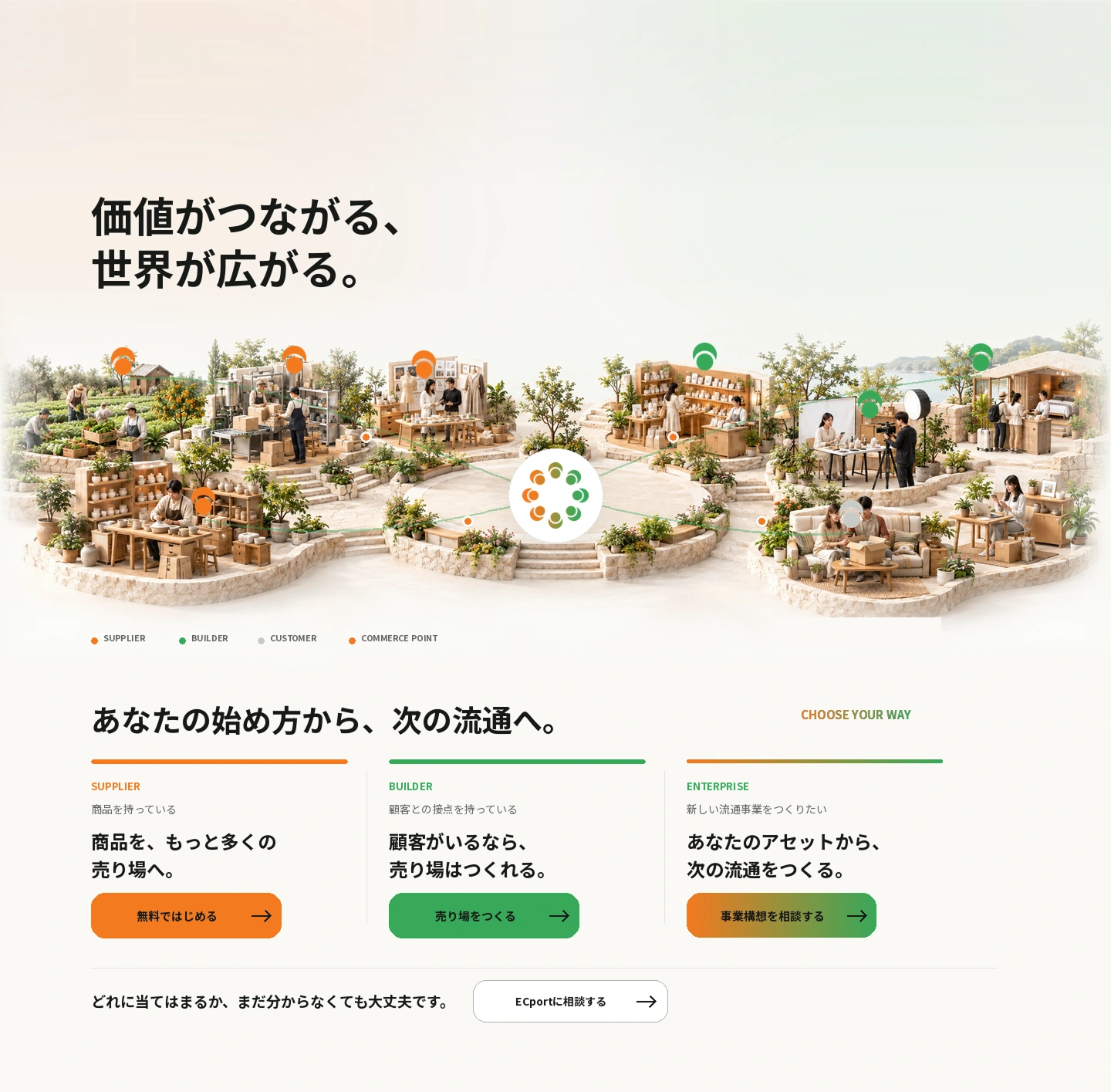
You have products
BUILDER
You have customer touchpoints
ENTERPRISE
You want to build a new distribution business
Not sure which fits you yet? That’s fine.
Talk to ECport