
Keep delivering your products
after the stay.
Turn the items used in your rooms, the souvenirs in your shop and products from local producers into an online store guests can buy from after they return home. Products from local producers and makers can be listed without holding stock.
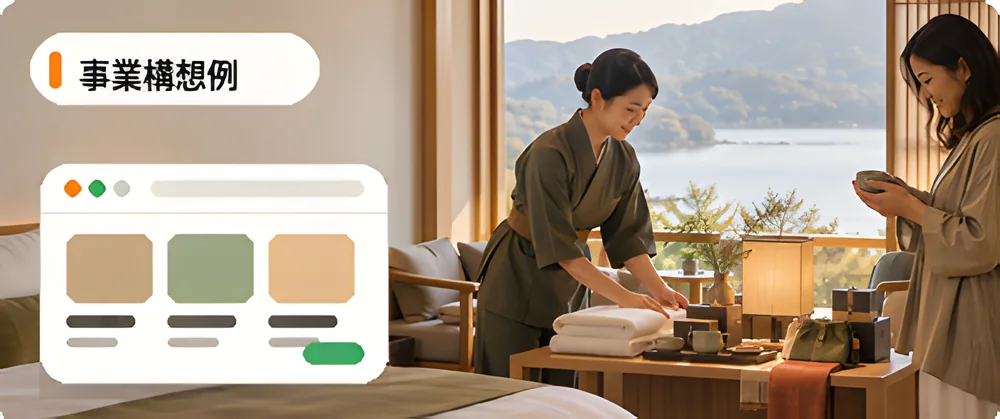
* These are example concepts, not existing implementations.
- Your products and local products
- Register and sell your own products, and also list connected products from local producers and makers.
- A wider range without holding stock
- For connected products, the supplying business manages the stock and ships. You receive the sales commission on what sells.
- From your property to the product page
- Put product-page QR codes on in-room guides or shop displays. Scanning one with a phone opens the product page.
Your products and local products, in one store.
On the same online store, you can list products you sell yourself and connected products from local producers and makers. Who is the seller and who ships depends on which kind of product it is.
| Item | Your own products | Connected products from local businesses and makers |
|---|---|---|
| Seller | You are the seller. | The supplying business is the seller. |
| Stock and shipping | You manage stock and ship. | The supplying business manages stock and ships. |
| Price | You decide. | Sold at the price the supplying business sets. |
| What you receive | Sales less fees. | The sales commission. |
| Buyer support | You handle it. | You respond first and check with the supplying business when needed. |
* Scroll the table sideways to see more.
Let guests buy at home what they found during their stay.
One example of connecting what guests discover on site to your online store.
-
01
Guests discover products on site
Guests pick up the items used in their rooms and the local products in your shop and around the property.
-
02
Open the product page from your guides
Scanning the QR code on an in-room guide or shop display opens the product page on your online store.
-
03
They buy after returning home
Guests do not have to carry heavy items home; they can have them delivered. Purchases are made on the online store.
-
04
The products are delivered
You ship your own products, and the supplying business ships connected products to the buyer.
What you can do, and what to check before you start
What you can do
- Sell your own products and products from local producers and makers on the same online store
- Put product-page QR codes (PNG or SVG) on in-room guides and shop displays
- Publish articles on the store and introduce products along with stories of the region and its makers
- Make the store private, so that only people with the password can view it
Check before you start
- Room and experience reservations are not included. What you sell on ECport is products.
- Connected products are sold at the price the supplying business sets. You cannot change the price only in your store.
- The number of connected products and sites is capped by plan.
- To receive sales or rewards, you need to complete registration with the payment service (Stripe).
- There is no feature for a store that only members can buy from. Password protection applies to the whole online store.
- To sell to buyers overseas, each storefront needs to apply for Buyee Connect. See how overseas sales work
Costs of starting online retail, and limits by plan
Separately from the monthly plan fee, fees apply when a sale is made. When a connected product sells, the connected-selling fee also applies.
| Item | Starter | Standard | Business |
|---|---|---|---|
| per month (incl. tax) | ¥0 | ¥9,800 | ¥39,800 |
| Setup fee (incl. tax) | ¥0 | ¥5,500 | ¥5,500 |
| System fee | 6.5% | 3.25% | 2% |
| Payment fee | From 3.6% | From 3.6% | From 3.6% |
| Connected sales fee | 6.5% | 2.75% | 2% |
| Connected products | 10 products | 50 products | Unlimited |
| Connected sites | 3 sites | 20 sites | Unlimited |
| Custom domain | Not included | Included | Included |
* Scroll the table sideways to see more.
Monthly prices are per month when billed annually (tax included). Fee rates exclude tax; consumption tax of 10% of each fee is added. Enterprise is quoted individually.
Steps to start selling your products online
-
01
Create an account
Create a free account and choose a plan that fits the number of products you will handle.
-
02
Set business details and a payout account
Enter your business details and complete registration with the payment service (Stripe) to receive sales.
-
03
Line up products
Register your own products, find products from local producers and makers, and request connections.
-
04
Build and publish the online store
Without code, build a store designed to match the feel of your property, and publish it.
-
05
Show it on site
Put product-page QR codes on in-room guides and shop displays.
FAQ / Frequently asked questions
Hotel and ryokan retail:
frequently asked
questions.
Common questions about costs, what you can sell
and how to show it to guests.
QUESTION THEMES
- Costs and getting started
- What you can sell
- Sourcing and stock
- Guidance and overseas
01Can a small inn start online retail?
Yes. The Starter plan starts at ¥0 per month with a ¥0 setup fee. Fees apply when a sale is made. When you handle more products, you can change to a plan with higher limits.
02Can we take room reservations too?
No. Room and experience reservations are not included. What you build on ECport is an online store that sells products. Keep your current reservation system and start with retail only.
03Can we sell local producers' products without buying stock?
Yes. Request a connection to products a producer publishes on ECport, and once approved, they are listed on your store. The producer manages stock and ships, and you receive the sales commission on what sells.
04Can we sell the amenities and furniture used in our rooms?
Products you sell yourselves can be registered and sold. If the maker publishes its products on ECport, you can also request a connection and sell them without holding stock.
05How do we let guests know?
Download product-page QR codes (PNG or SVG) and put them on in-room guides or shop displays. Scanning one with a phone opens that product's page.
06Can travel companies use it?
Yes. Choose products to match a trip's theme or the region visited, and build an online store travelers can buy from after the trip. Products from local producers can be listed through connected selling.
07Can we sell to guests from overseas?
After applying for Buyee Connect for each online store and passing the review, you can accept orders from overseas buyers. Buyee ships overseas, and products are shipped to Buyee's warehouse in Japan.
Turn a discovery during the stay
into the next purchase.
You can start with your own products or with local products. If you are not sure where to start, talk to us.
Creating an account is free. If you are not sure which way to start, you can start by talking to us.